How it works
One structure. Every property.
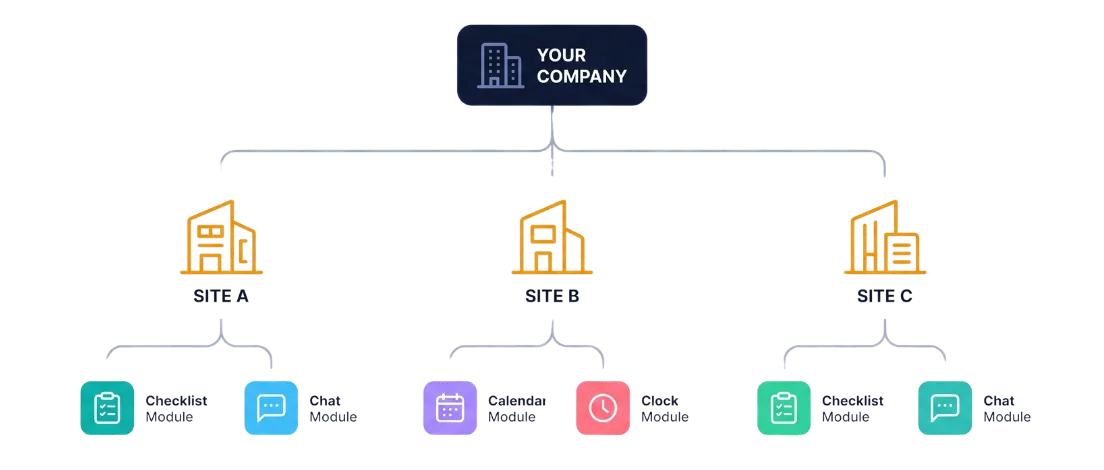
Your company sits at the top. Every property you manage is a Site underneath it. Every module below nests inside that Site.
Your company
e.g. XYZ Property Management
Each Site has its own Tasks, Chat, Calendar, and Clock-in, never mixed with another property's.
Module by module
Everything inside a Site.
Sites
The container for everything else. Each property under your management gets its own Site, created by your System Admin or Director, with its own staff, tasks, calendar, and chat from day one.
- Contact info, hero photo, org chart of assigned staff
- Archived, not deleted, when a management contract ends
Staff
Profile, role, job scope, and a home Site for every team member. Someone can cover another Site temporarily, an emergency call-out, without a permanent reassignment.
- Sensible permission defaults per role from day one
- Individually adjustable per person by your own System Admin
Tasks
List or kanban view, assignee, due date, priority, status. Photo-proof on completion and a running comment thread, so there's a real record of what got done and when.
- Created and assigned by Building Manager, Area Manager, or Director
- Sub-task checklists for multi-step jobs
Checklists
A separate, recurring routine, daily, weekly, or monthly, built once and assigned to a role. Anyone holding that role ticks it off each period, plain checkbox, no photo needed.
- Built and assigned by a System Admin or Director
- Each Site tracks its own completion, independently of every other Site
- Full history, so a missed period stays visible rather than quietly resetting
Asset Tracking
A register for the equipment each Site actually owns or rents, aircons, printers, and similar. Model, serial number, purchase date, warranty, and who supplied it, all in one place.
- A service due date flags itself as it approaches, right on the list
- Owned or rented items tracked the same way, just noted differently
Site chat
One chat per Site, everyone assigned there is in it automatically. Work matters only, by design, so the log stays clean enough to print and hand to an owner or JMB if needed.
- @mentions highlighted in the thread
- Directors and Area Managers can switch across every Site they cover
Calendar
Meetings, AGMs/EGMs, deadlines, and reminders, per Site. Not synced to Google or Outlook on purpose, this is the property's own operational record.
- Upcoming and past events at a glance
- Scoped to whoever can already edit that Site's tasks
Clock in/out
Staff pick a Site at clock-in, that becomes their working context for the session. Multiple sessions a day are fine, and geolocation is captured as proof of presence, not enforced geofencing.
- Nobody gets blocked for being a few metres off
- A full session history log per staff member
Reporting
A monthly export per Site, or aggregated across every Site a Director or Area Manager covers: tasks with photos, attendance, and the chat log, ready to print or save as PDF.
- CSV export alongside the printable view
- Photo links stay valid for 30 days, long enough to revisit later
Announcement
The one module that isn't scoped to a single Site. A public holiday notice, a company dinner, congratulations on a wedding, posted once by a Director or System Admin and seen by every Site plus HQ, not just whoever's active in a chat at that moment.
- Shown as a banner on every dashboard home while it's live
- A set display duration, so it retires itself instead of piling up
Licenses & Certificates
A register for site and company compliance documents, business licenses, permits, fire safety certificates, and insurance, so nothing quietly lapses without warning.
- Flagged as due soon or urgent right on the list, well before the deadline
- One record per Site, or marked company-wide for a head-office registration
Worth calling out
Site chat isn't another WhatsApp group.
No personal messages mixed in, no history that disappears when someone leaves the company, nothing that lives on a staff member's own phone. One dedicated, work-only chat per Site, kept as a clean record from day one.
See the full comparisonRoles & permissions
Sensible access from day one.
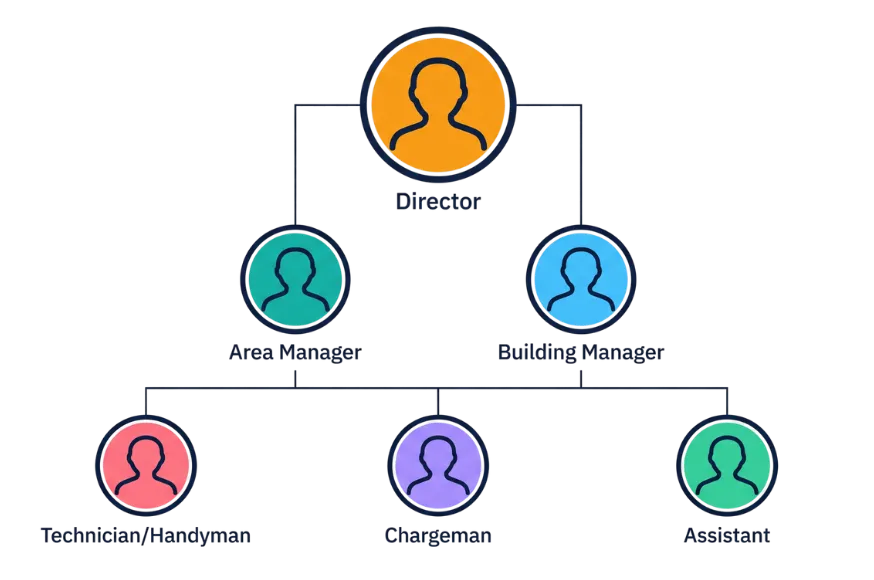
Director, Area Manager, Building Manager, Chargeman/Engineer, Technician/Handyman, Admin/Account Staff, each role comes with a default permission template, so a new hire has the right access on their very first day. Your own System Admin can adjust individual permissions on top of that template, per person, without starting from scratch every time.